
 By DQCS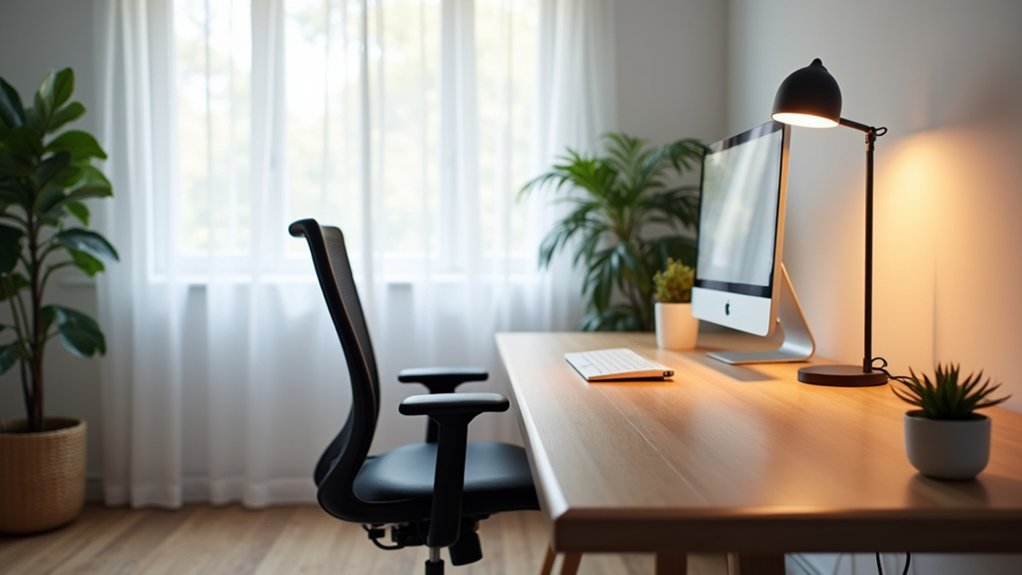
If you’re like Sam, who moved his desk perpendicular to the window and added a $20 adjustable task lamp, you can improve comfort and cut eye strain in one afternoon. You’ll start by clearing pathways and placing your desk to use daylight without glare. Then you’ll layer low-cost ambient and task lighting so you’re not fighting shadows. A few small tweaks can change how your space feels—but only if you make them in the right order…
Reset Your Home Office Layout for Flow

If your home office feels cramped or distracting, a quick layout reset can fix the flow without costing you a dime. Start by clearing the floor path from door to chair so you’re not sidestepping cords or piles.
Group tasks: keep printer, supplies, and reference books within one swivel, and push seldom-used items to a single shelf or bin.
Rotate your chair and monitor so you’re not twisting all day; if you’ve got Ergonomic furniture, place it where your elbows and knees align naturally to reduce fatigue.
Then tighten your Color scheme choices: limit visible colors to two neutrals plus one accent to cut visual noise.
Finally, label storage and commit to a one-minute daily reset routine.
Place Your Desk to Maximize Natural Lighting
Because natural light boosts focus and cuts your daytime lighting bill, start by placing your desk perpendicular to the window so daylight lands across your workspace without glaring straight into your eyes or reflecting off your screen.
If you can’t rotate the desk, shift it a few inches at a time and test screen glare at the hours you work most.
Keep the window side clear: smart decor placement means you don’t block light with tall bookcases or bulky plants.
Use mirrors sparingly to bounce light deeper into the room, but angle them away from your monitor.
Choose simple window treatments like light-filtering shades or adjustable blinds so you can control brightness without darkening the space.
Aim for even daylight and you’ll rely less on paid power.
Add Layered Home Office Lighting (Task + Ambient)
While daylight does the heavy lifting, you’ll still get more consistent focus—and spend less overall—when you layer affordable ambient light with a targeted task lamp.
Start with ambient lighting that fills the room evenly: a ceiling fixture, a floor lamp, or a plug-in pendant on a timer gives you steady coverage without cranking up wattage. Choose LED bulbs (around 800–1100 lumens) to cut energy costs and replacements.
Then add task lighting where you work: a simple adjustable desk lamp aimed at your keyboard and notes lets you run lower brightness in the rest of the room. Pick an LED lamp with a dimmer so you can match the light to different jobs.
This two-layer setup feels brighter, yet costs less.
Fine-Tune Glare, Shadows, and Video Call Lighting
Once you’ve layered ambient and task light, dial in the angles to cut glare on your monitor and stop harsh shadows from tiring your eyes. Place your desk so windows sit to the side, not behind or in front, and tilt your monitor slightly downward for cheaper glare control than buying a new screen. If reflections persist, add a $10 matte filter or close sheer curtains.
For shadow management, keep your task lamp opposite your writing hand and aim it at the work surface, not your face. On video calls, use a small lamp or ring light above your screen, diffused with parchment paper or a thin white cloth to soften hotspots. Don’t light from below; it looks harsh. Test in your webcam preview and adjust by inches.
Frequently Asked Questions
How Can I Refresh My Home Office on a Tight Budget?
Like a quick coat of paint, you can refresh your home office cheaply by decluttering, rearranging furniture, adding budget friendly decor, and doing DIY organization with jars, boxes, and labels; shop thrift, swap art, add a lamp.
What Paint Colors Best Boost Focus and Reduce Eye Strain?
Choose soft, cool tones: light blue-gray, muted sage, or warm off-white. You’ll leverage color psychology for calm focus and visual comfort. Buy sample pots, test walls, and pick matte or eggshell to cut glare.
Which Plants Improve Air Quality Without Needing Much Light?
You can pick plants that’ll clean air like a tiny jungle in your corner: snake plant, ZZ plant, pothos, peace lily. They’re Indoor air purification champs and Low light greenery, so you’ll spend less replacing them.
How Do I Hide Cables and Chargers to Reduce Visual Clutter?
Use cable management clips, adhesive raceways, and a cheap under-desk tray to route cords out of sight. For charger concealment, stash a power strip in a ventilated cable box and label leads.
What Ergonomic Chair Features Matter Most for Long Workdays?
Prioritize Adjustable lumbar, seat height/depth, and armrests so you won’t strain all day. Choose breathable mesh to stay cool. Skip flashy extras; invest in sturdy base, smooth casters, and a long warranty.